Stuck
The menu will not open
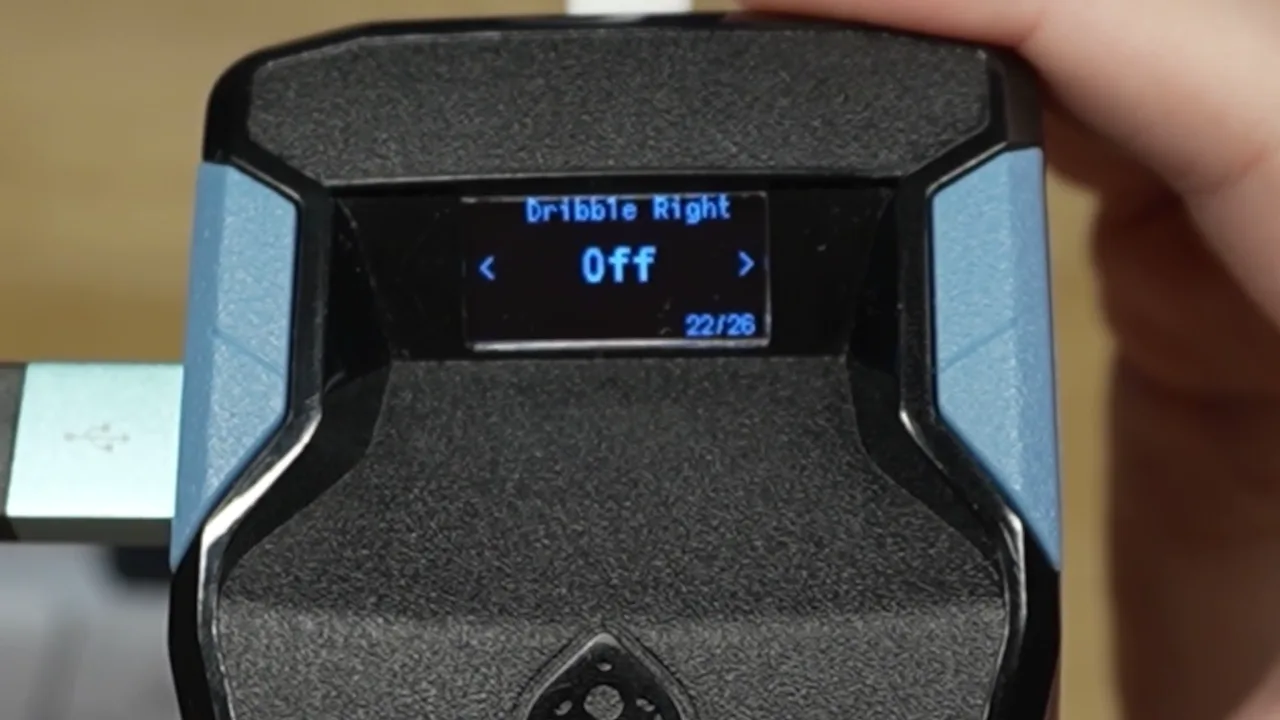
Read the OLED. A script name means a file is in the slot. A device logo and no name means the slot is empty, and no chord will draw a script menu. Change slots with the buttons on the Zen until the name matches.
Hold L2 or LT the entire time you press Options or Menu. A tap of the trigger is not the chord. If this file documents a different combo, use that one. Mashing every button also types those buttons into the game.
On PS5, a pad that disconnects after a few seconds never delivers the chord. The current device guide uses Zen Link for native play. A menu problem that starts with a disconnect is a route problem.
PS plus L2 can kill the device and show a black LED. That is not a script menu. PS plus R2 is the chord that turns it back on. If you wanted the script and you hit the kill switch, the screen going dark is the explanation.
When the menu will not come up
No script name, no menu. Look at the OLED. A logo and no name means program a slot. A name means try the chord again and hold the trigger through the button press. Short presses are the usual failure.
Kill switch next, if the LED is black. PS and L2 turned it off. PS and R2 turn it on. Then the chord. If you reset the device in between, you did not learn which step mattered.
Ports: controller in A1, or A2 when the Edge diagram says so, console cable on the CONSOLE port. A swapped cable looks like a dead menu. Zen Link is required for native PS5. Without it, a DualSense can connect in a limited way and the script menu never becomes the thing you feel in game.
A menu that opens and then will not change a number is the face-button hold. Up and down alone toggle. Cross or A plus up and down edits. Release the left trigger to keep it.
Name, chord, kill switch, ports
No name, program a slot. Name and no menu, hold the trigger through the button. Black LED, PS and R2. Then check A1 or the Edge's A2, and the CONSOLE port. Native PS5 wants Zen Link. A number that will not move is the face-button hold, not a dead menu. Do those in order so you learn which one was the problem.
Change one thing and try the chord again. Name, then hold, then PS plus R2 if the LED is black, then the port. Four attempts, not one handful of buttons. You will know which attempt mattered.